
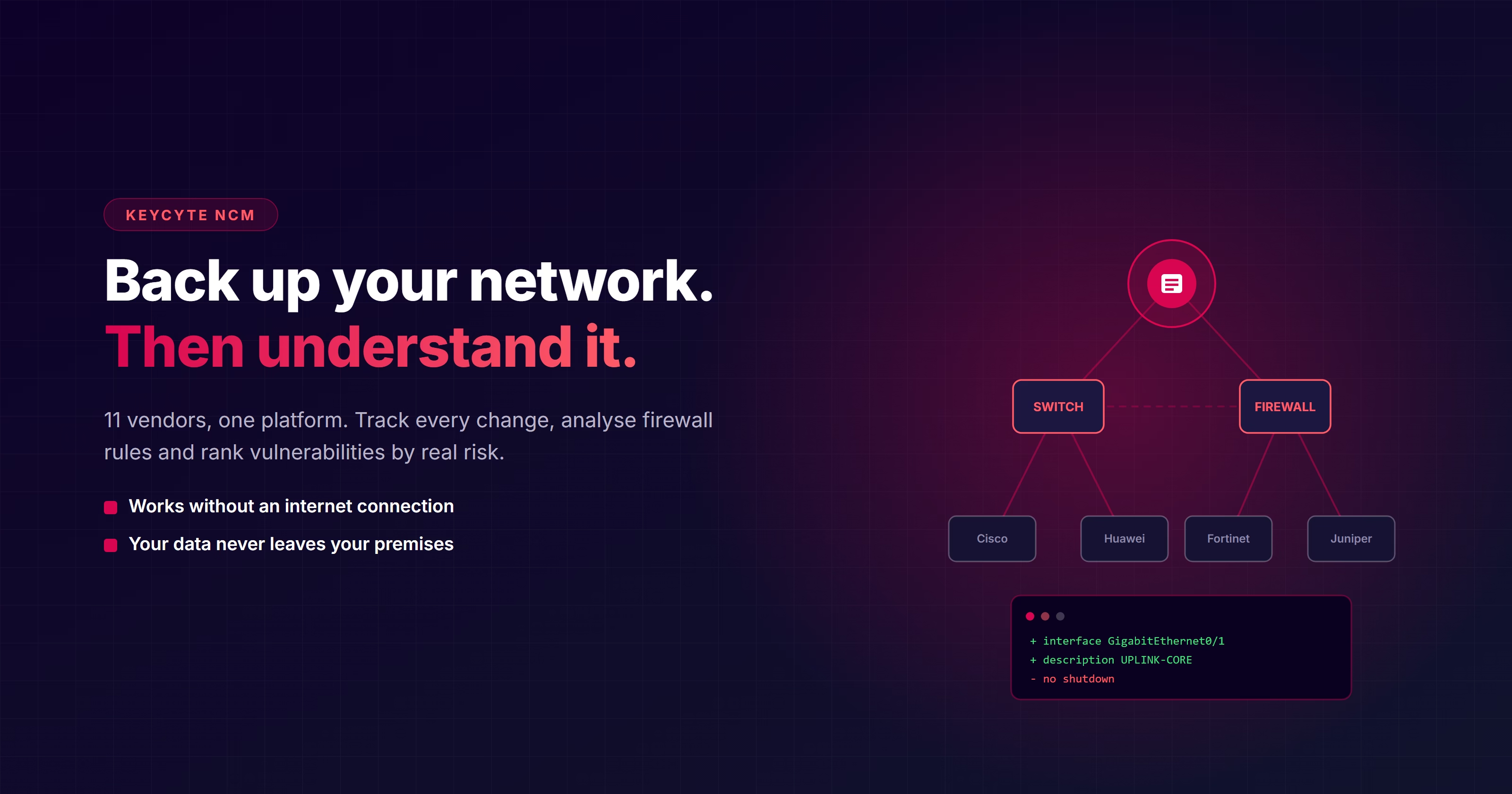
Most organisations back up their network configuration somehow. The problem isn't the backup — it's that the backup tells you nothing.
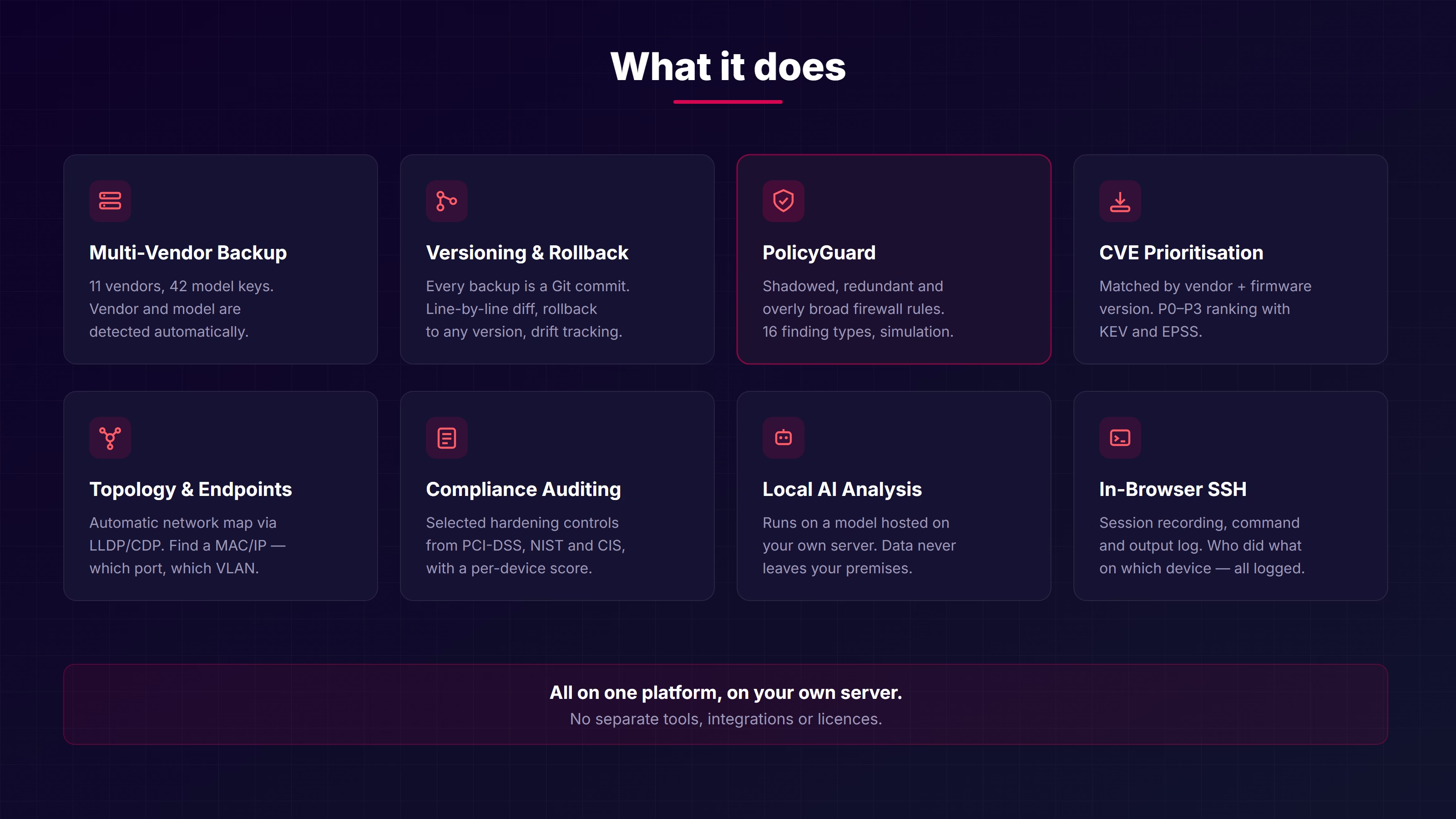
The files are there, but nobody reads the differences between them. After an outage, answering “what changed yesterday?” takes hours.
Years of shadowed, redundant and overly broad rules accumulate. Nobody knows which ones are safe to delete, so none of them are deleted.
Copying firmware versions into a spreadsheet and comparing them against CVE lists by hand. At 40 devices, the job never finishes.
Cloud-based tools are unusable in regulated, defence or critical infrastructure environments.
On top of the backup, Keycyte NCM adds security analysis, compliance auditing, vulnerability prioritisation, firewall policy analysis, topology discovery and local AI review.
Mixed networks are a fact of life. No separate tool per vendor is required.
| Vendor | Platforms |
|---|---|
| Cisco | IOS, IOS-XE, IOS-XR, NX-OS |
| Huawei | VRP + CE / AR / NE / AC / S57xx–S97xx |
| Juniper | JunOS (EX, MX, SRX, QFX) |
| Palo Alto | PAN-OS |
| Fortinet | FortiOS |
| Check Point | Gaia |
| Aruba | CX, AOS, ProCurve |
| Arista | EOS |
| Dell | OS10, OS9, OS6 |
| H3C | Comware |
| F5 | BIG-IP (TMOS) |
Additional depth on Huawei: VRP-specific compliance checks, runtime inventory collection and CVE matching narrowed by model-to-CPE family mapping.
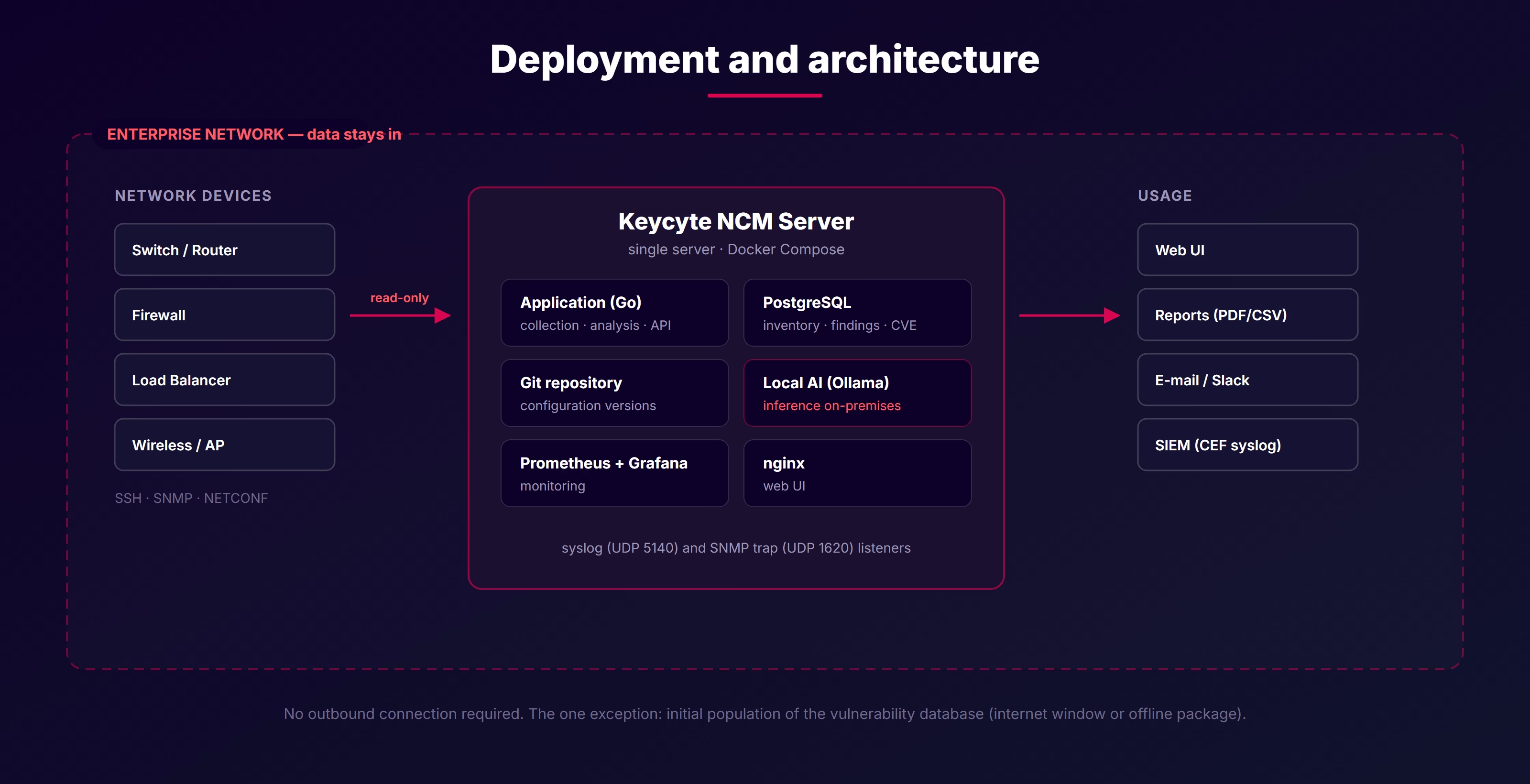
Installs on your own server and needs no outbound connectivity to operate. Everything, including AI analysis, is local.
Docker Compose installation. No cloud requirement, no external service dependency.
AI inference runs on a local model. Your configurations are never sent to any external service.
Device credentials and reference configurations are stored encrypted with AES-256-GCM.
Honest note: The one exception is the CVE database. Vulnerability scanning works offline, but the vulnerability data needs an internet window to be populated the first time. In fully isolated environments this data is transferred via an offline package.
In security products, overstated certainty costs more than a missing feature. Know exactly what you are buying.
The product never presents what it does not know as “safe”. No data means no finding; no evidence means no accusation.
Installed on a single server via Docker Compose.
They take backups. Keycyte NCM treats the backup as a starting point and adds security analysis, vulnerability prioritisation, firewall policy analysis and compliance auditing on top.
Yes. Everything, including local AI, works offline. Only the initial population of the vulnerability database requires an internet window or an offline data package.
Not by default. Configuration reading and backup are read-only. Remediation and template workflows are approval-gated and currently run in preview mode.
They are two separate products. PAM manages privileged access; NCM manages and analyses network configuration. They can be used together, but neither requires the other.
Installation is possible in isolated environments; during the demo your network configuration does not leave your organisation.
Request a Demo Contact Us